
Plan a layout that fits your room and runs without derailing.
Ruling Grade turns Claude, ChatGPT, Gemini or Grok into the club member who has built three layouts and learned from every mistake. Tell it your scale, space and era, and get a track plan concept, the radius and grade your trains can handle, DCC wiring that works, and operating sessions that keep crews busy.
Get Ruling Grade Layout Guide for $5 Convert
$5 once · card, Apple Pay or Google Pay · download in a minute
Into more than one hobby? Get all 70 hobby skills for $19, this one included.
- One-time $5
- Instant email delivery
- 14-day refund
- Works in Claude, ChatGPT, Gemini and Grok
Plan: HO around-the-walls, 10 × 12 ft room
1950s branch line · 60 ft cars · 4-axle diesels · DCC
HO 1:87.1Shelf 24 in deepDuckunder at the door
- RadiusMinimum 24 in on the mainAbout 2.9 × a 60 ft car (8.27 in in HO)Curves
- GradeBranch climbs 3.5 in over 15 ft: 1.94%Under 2%, with easements top and bottomGrade
- Turnouts#6 on the main, #4 in industry spursPowered frogs for slow switchingTrack
- DCC14 AWG bus, feeders to every rail sectionRun the quarter test: a short must trip the boosterWiring
- Ops4:1 fast clock, 3-hour session = 12 fast hoursCar cards and waybills for 6 industriesOperations
Everything a seasoned model railroader keeps in their head
One skill, six jobs. Claude, ChatGPT, Gemini or Grok picks the right one from what you ask.
Scale and gauge math
HO 1:87.1, N 1:160, O 1:48, S, Z, TT, OO and the large scales, with real-to-model conversions shown.
Layout planning
Givens and druthers, track plan concepts that fit the room, aisle widths, benchwork height and access.
Radius and grade
Minimum radius from your longest equipment, grade from rise and run, easements and clearances.
DCC and wiring
Bus and feeder sizes, power districts, reversing sections, frogs and the short-circuit tests that matter.
Operations sessions
Car cards and waybills, switch lists, fast clocks, crew jobs and a first session plan.
Troubleshooting
Derailments, stalls and shorts, worked through in the order that finds the cause fastest.
Ask it like you'd ask at the club on a Tuesday night
It knows how radius, grade and wiring choices play out years later, so the plan fits your trains and your room.
A loop fits, but it decides your radius (high confidence)
A loop needs a table about twice the radius plus 4 inches. At 24 in radius that's about 52 in deep, so the ends of the room become two peninsulas or blobs, with a 24 in or wider aisle around them.
Two plans to compare
- Around the walls with a lift-out or duckunder at the door: shelves 18 to 24 in deep, broad curves only in the corners, and lots of room for switching along the walls.
- Dogbone: a long, narrow main along the walls with a loop at each end, so trains run continuously but look like they're going somewhere.
Pick the radius from your longest car
60 ft cars and 4-axle diesels run reliably on 22 to 24 in. If you want 85 ft passenger cars, plan on 30 in or more, which usually means option 1. Use #6 turnouts on the main and #4s in spurs.
Before you cut wood
Lay flex track on the floor at your chosen radius and push your longest train through it, forward and backward.
Example answer from the full skill. Your answers depend on what you ask.
Honest about what runs
Track plans look great on paper. Ruling Grade checks whether your trains can actually run them.
- Rules of thumb, labelledRadius and grade guides are rules of thumb. It tells you to test your own equipment first.
- Scale math shownEvery conversion shows the ratio and working, so you can check it.
- Mains power is for prosLow-voltage layout wiring is fine to DIY. Wall-voltage wiring belongs to a listed power supply or an electrician.
- Standards firstPoints you to the NMRA standards and your manufacturers' specs where they set the rules.
Up and running in two minutes
No app to learn and nothing to install on your computer. It lives inside Claude, ChatGPT, Gemini or Grok.
Buy once
Pay $5 by card, Apple Pay or Google Pay. Your download link arrives by email in about a minute.
Add it to Claude, ChatGPT, Gemini or Grok
Upload the ZIP under Skills in Claude, or the unzipped folder in Gemini. It takes about 30 seconds. In Grok, upload the ZIP, or paste the included paste-in file into a new skill. In ChatGPT, add the included paste-in file to a Project.
Just ask
"How big is a 40 ft boxcar in N?" "Will a 3% grade work?" "Why does my loco stall on this turnout?"
Pick your app for the exact clicks
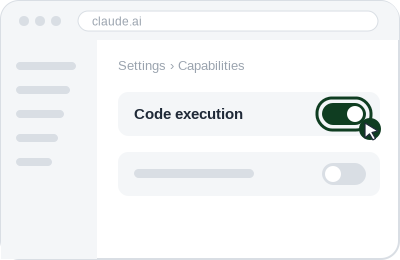
1In Settings, then Capabilities, turn on code execution.
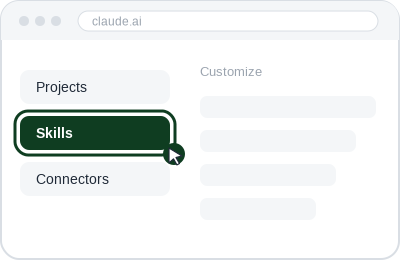
2Open Customize, then Skills.
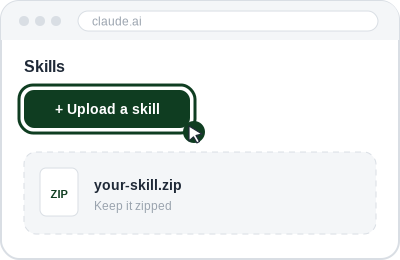
3Click +, choose Upload a skill, pick the ZIP. Keep it zipped.
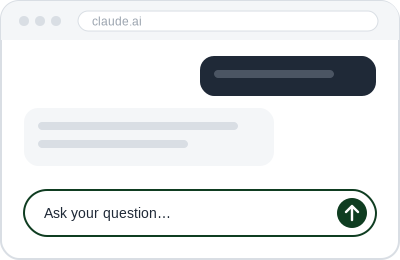
4Start a new chat and ask. Claude picks up the skill.
Works on every Claude plan, including the free one. Free plans have lower usage limits.
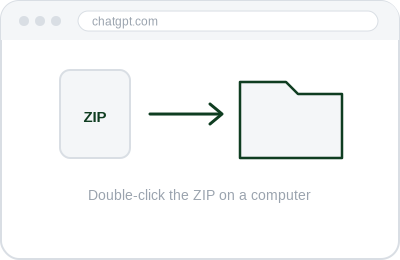
1On a computer, unzip the download and find ANY-AI-PASTE-VERSION.txt.
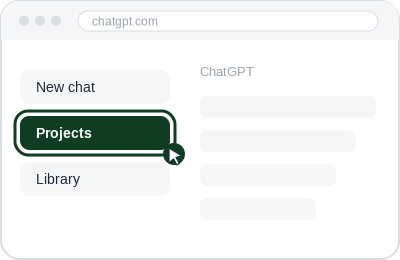
2In ChatGPT, open Projects and make a new project.
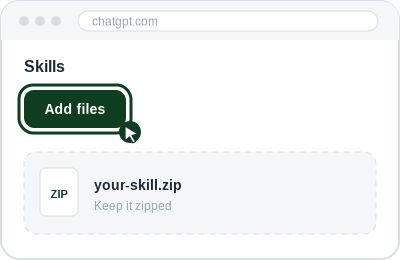
3Add the .txt file to the project. In its instructions, type: Follow the attached file.
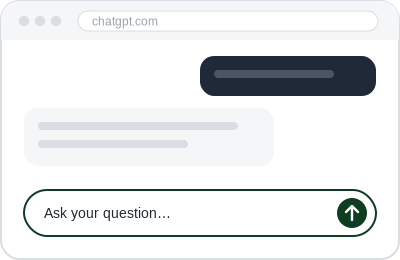
4Start a chat in that project and ask. On a Business, Enterprise or Edu plan, you can upload the ZIP under Skills instead.
Personal ChatGPT plans (Free, Plus, Pro) don't have a Skills page yet, so you use the paste-in version in a Project. On a Business, Enterprise or Edu plan, go to chatgpt.com/skills, choose Add, then Upload from your computer.
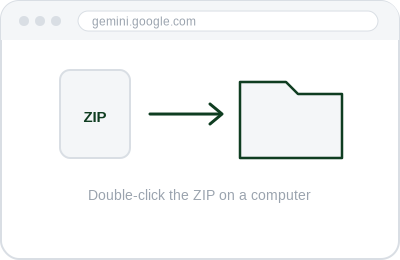
1On a computer, unzip the download. You get a folder.
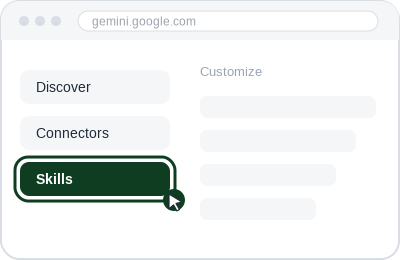
2At gemini.google.com, open Customize, then Skills.
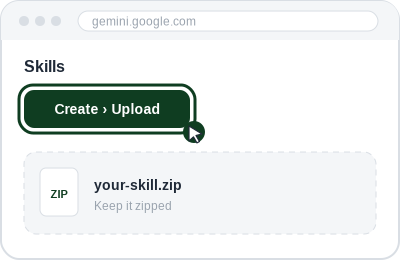
3Choose Create, then Upload, then folder. Pick the unzipped folder.
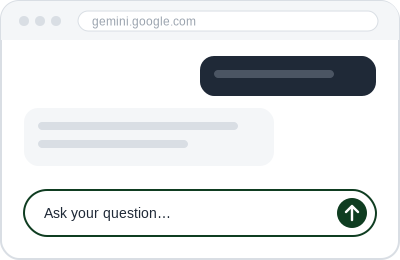
4Start a new chat and ask.
Gemini takes the unzipped folder, not the ZIP. Menus in Gemini change often, so names may differ slightly.
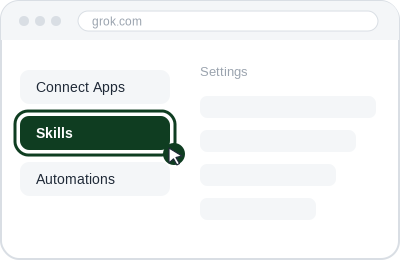
1At grok.com, open Settings, then Skills.
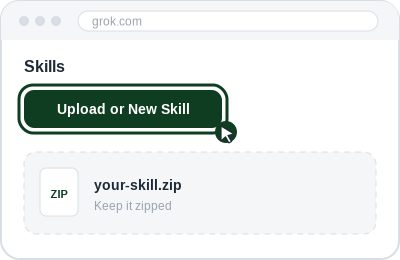
2If you see Upload, pick the ZIP. If you only see New Skill, use the next step.
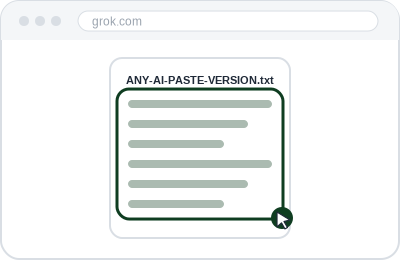
3New Skill: name it, then paste the text of ANY-AI-PASTE-VERSION.txt (below the line of equals signs) into Instructions.
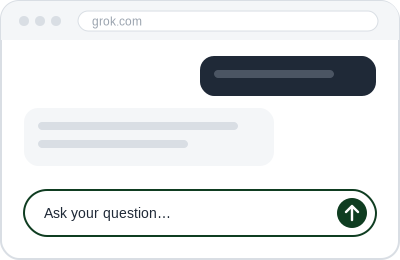
4Save it, start a new chat and ask.
Some Grok plans upload the ZIP; others show a New Skill form, where you paste the skill text in. Menus in Grok change often, so names may differ slightly.
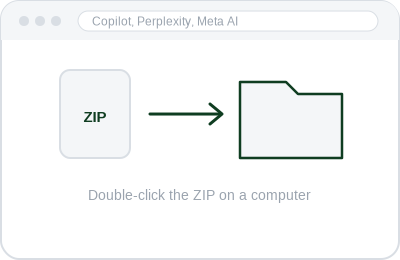
1No Skills page? Unzip the download on a computer.
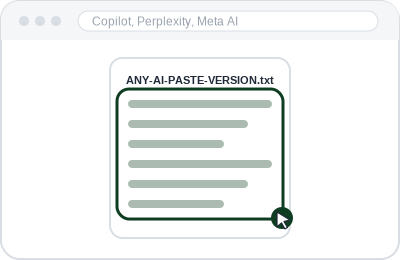
2Open ANY-AI-PASTE-VERSION.txt and copy everything.
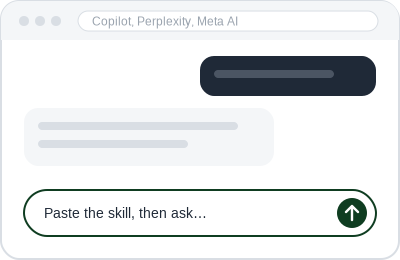
3Paste it into a new chat, then ask your question.
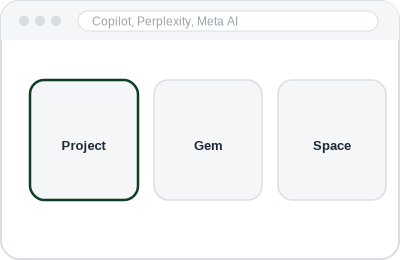
4To keep it on, add it to a ChatGPT Project, Gemini Gem or Perplexity Space.
Using Claude Code, Codex, Cursor or another coding agent? Unzip it into the skills folder, for example unzip ruling-grade-layout-guide.zip -d ~/.claude/skills/
On your phone? Go ahead and buy: the download link goes to your email and works for a year. Adding a skill is easiest from a computer, in a web browser or the desktop app, so open that email there when you're ready. Want to try it on your phone today? Open the ZIP, copy ANY-AI-PASTE-VERSION.txt into any chat app, and ask.
Start with the free Track Plan
A small skill that turns your room, scale and era into a one-page layout concept with radius, grade and a list of givens and druthers.
- Fits your room and scale
- Minimum radius from your longest equipment
- Two plan shapes to compare
Get Ruling Grade Layout Guide
Pay once, use it whenever you need it. Includes the free Track Plan too.
How to add it
Upload the ZIP under Skills in Claude, or the unzipped folder in Gemini (in Grok, upload the ZIP or paste the paste-in file into a new skill; in ChatGPT, add it to a Project), then start a new chat and try: "I model HO, 1950s transition era, and I have a 10 by 12 ft spare room. I like switching. Give me a layout concept."
See the clicks for your app. Every download also comes with a paste-in version for any other chat, and a Start Here PDF.
Step-by-step guides with pictures: Claude · ChatGPT · Gemini · Grok
Ruling Grade Layout Guide
Plan the layout, wire it right and run real operations.
$5 one time
- Scale and gauge conversions for every common scale
- Layout concepts from your room and druthers
- Minimum radius, grade and clearance checks
- DCC basics, bus and feeder wiring, reversing sections
- Operating sessions: car cards, switch lists, fast clocks
- Troubleshooting for derailments and shorts
- Updates for a year
Card, Apple Pay or Google Pay through Stripe. Taxes calculated at checkout. 14-day refund.
Giving it as a gift? Buy it, forward the email, and print a gift card.
See a real answer from the full skill
You ask: HO, spare room 10 by 11 ft. I want a continuous loop but also some switching. What radius do I need and does a loop even fit?
A loop fits, but it decides your radius (high confidence)
A loop needs a table about twice the radius plus 4 inches. At 24 in radius that's about 52 in deep, so the ends of the room become two peninsulas or blobs, with a 24 in or wider aisle around them.
Two plans to compare
- Around the walls with a lift-out or duckunder at the door: shelves 18 to 24 in deep, broad curves only in the corners, and lots of room for switching along the walls.
- Dogbone: a long, narrow main along the walls with a loop at each end, so trains run continuously but look like they're going somewhere.
Pick the radius from your longest car
60 ft cars and 4-axle diesels run reliably on 22 to 24 in. If you want 85 ft passenger cars, plan on 30 in or more, which usually means option 1. Use #6 turnouts on the main and #4s in spurs.
Before you cut wood
Lay flex track on the floor at your chosen radius and push your longest train through it, forward and backward.
Into more than one hobby? The Skill Pass gets you all 70 hobby skills, this one included, for $19.
New to AI skills?
Ruling Grade is a skill: a set of expert instructions you add to your own Claude, ChatGPT, Gemini or Grok account, so it answers like a model railroader who knows the craft.
- Using Gemini? Unzip it and upload the folder on its Skills page. Using Grok? Under Settings, Skills, upload the ZIP or paste the paste-in file into a new skill. Using ChatGPT? Add the included paste-in file to a Project.
- New to all of them? Claude is an AI assistant made by Anthropic. Make an account at claude.ai: skills work on every Claude plan, including the free one, with code execution turned on in Settings, Capabilities.
- Try the free Track Plan skill first. If you like it, the full skill is one purchase.
Not ready for an AI app? The free model train scale converter on this site works in any browser, no account needed.
Free model railroad tools
No sign-up, they run in your browser.
Made by Nic Hubert, What If Labs
I run What If Labs from British Columbia, Canada. I build each skill with AI help and test it on real questions, and a separate reviewer checks it before it goes on sale. If it doesn't do what this page says, email me at hello@whatiflabs.ai and I'll fix it or refund you.
No reviews yet: this store is new. Tell me how it went and I'll use it to make the skill better.
Questions
Which scales does it cover?
Z, N, TT, HO, OO, S, O and the large scales (1:32, 1:29, 1:24, 1:22.5, 1:20.3), plus narrow gauge like HOn3 and On30.
Can it draw a track plan?
It describes the plan in detail and can lay out a simple grid sketch in text. For a to-scale drawing, use a track planning program or graph paper and take its numbers there.
I'm new. Is DCC hard?
No. It explains DCC from the start: what a command station and booster do, how to wire a bus and feeders, and how to program a locomotive address. Start small and test as you go.
Does it know my brand of track and decoders?
It knows the common systems in general terms. For exact settings, it points you to your manufacturer's manual, which wins on details like CVs and wiring colors.
What do I need to use it?
A Claude, ChatGPT, Gemini or Grok account. In Claude it works on any plan, including the free one, with code execution turned on (Settings, Capabilities). Free accounts have lower usage limits, so long planning sessions go further on a paid plan. It works in Claude on the web, the desktop app and Claude Code. In Gemini and Grok, upload it on the Skills page. In ChatGPT, personal plans (Free, Plus, Pro) don't have Skills yet, so you add the included paste-in file to a ChatGPT Project; Business, Enterprise and Edu plans can upload the ZIP under Skills. Coding agents that read SKILL.md files work too. Using Copilot, Perplexity, Meta AI or another chat with no Skills page? Every download includes a paste-in version (ANY-AI-PASTE-VERSION.txt) that works in any AI chat.
What if it doesn't work for me?
Email hello@whatiflabs.ai within 14 days of buying and we'll refund you in full. No forms, no questions.
How is this different from just asking an AI?
A general AI answer is often vague or skips steps. The skill gives your AI an expert's method: what to ask you first, the checklists and calculations to run, and the mistakes to warn you about. You get consistent, specific answers instead of a different guess each time.
Do I pay every month?
No. It's a one-time price, and updates to the skill are free.
Can I get a refund?
Yes. Every purchase comes with a 14-day refund, no questions asked. Reply to your receipt email and we'll take care of it.
What if it gets something wrong?
It shows its working, so you can check numbers and dates. Tell it what's off and it will correct itself. For anything where a mistake costs money or safety, double-check before you act, as you would with any advice.
Is my information private?
The skill runs inside your own Claude, ChatGPT, Gemini or Grok account, and we never see your chats. When you buy, Stripe handles the payment and we keep your email and order so we can send the download. The terms and privacy page has the details.